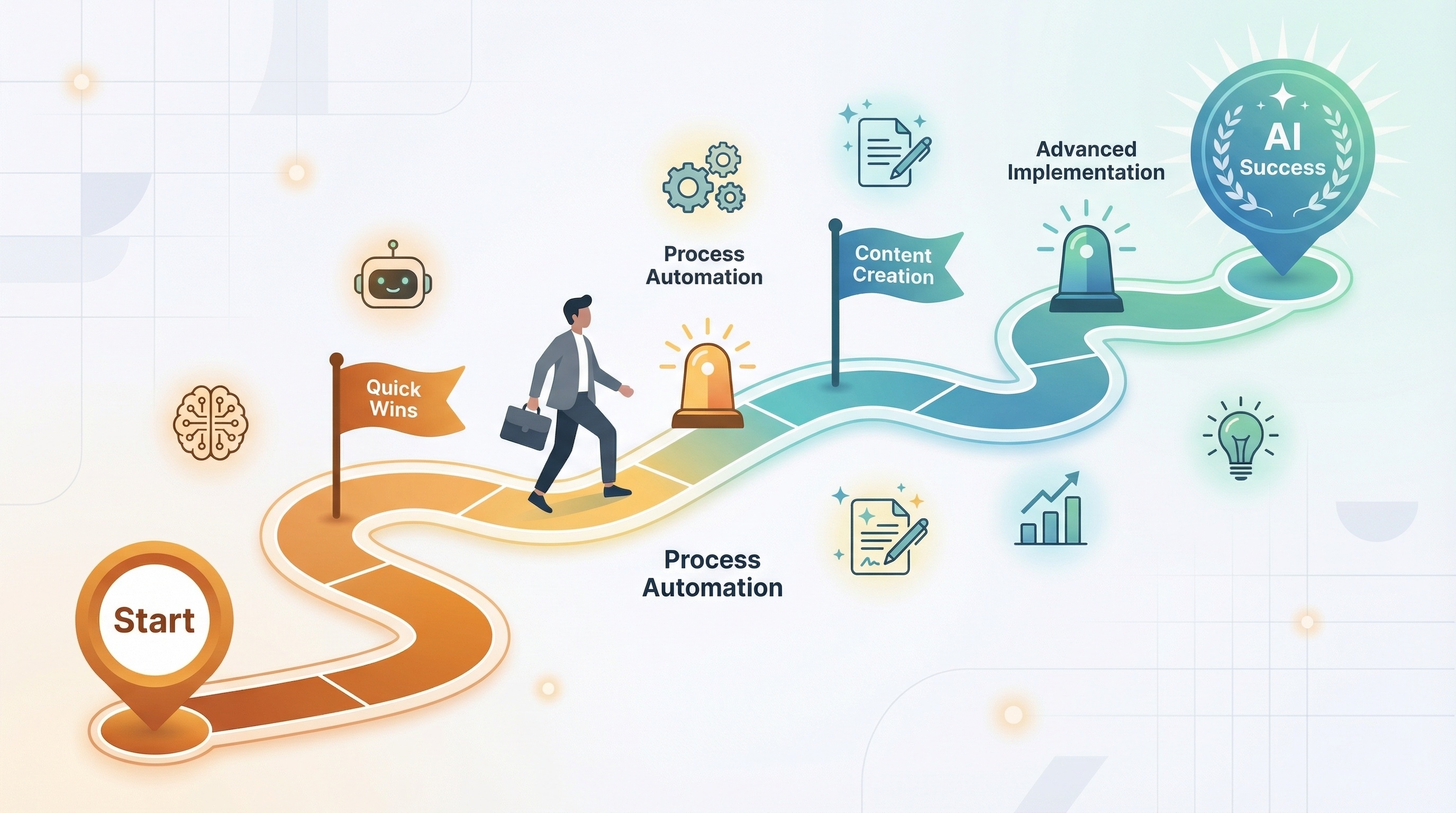
Artificial intelligence isn't coming to digital marketing—it's already here. But if you're feeling overwhelmed by the sheer volume of AI tools, conflicting advice, and uncertainty about where to begin, you're not alone. At The Website Design Agency, we speak with business owners every week who know they need to embrace AI but don't know their first step from their fiftieth.
The good news? You don't need to transform everything overnight. Successful AI implementation isn't about adopting every tool at once—it's about strategic, measured progress that delivers real business value.
This roadmap will guide you through a proven framework for AI adoption, from quick wins you can implement this week to advanced strategies that transform your marketing entirely. Whether you're a complete beginner or already using some AI tools, this guide will help you move forward with confidence.
Before investing in any AI tool, you need to understand where you are now. This prevents the classic mistake of buying solutions looking for problems.
Ask yourself these critical questions:
About your current processes:
About your goals:
About your resources:
Document your findings. Create a simple spreadsheet listing your top five time-consuming tasks, estimated hours spent weekly, and potential impact if improved. This becomes your prioritisation framework.
Common mistake to avoid: Don't start by researching tools. Start by understanding your problems. The tool should fit the problem, not the other way around.
Your first AI implementations should deliver visible results quickly, build team confidence, and require minimal investment. These quick wins prove the value of AI and create momentum for bigger changes.
Tool recommendation: ChatGPT (free or Plus version), Microsoft Copilot, or Google Gemini
Time to implement: 1-2 hours Cost: Free to £20/month Impact: 3-5 hours saved per week
How to start:
Example use case: Instead of spending 30 minutes crafting a client update email, provide AI with the key points and have it draft a professional message in seconds. You edit and personalise—total time: 5 minutes.
Measure success: Track time spent on internal communications before and after. Most teams save 20-30% of writing time immediately.
Tool recommendation: ChatGPT, Copy.ai, or Jasper (all have social media features)
Time to implement: 2-3 hours Cost: Free to £40/month Impact: 2-4 hours saved per week
How to start:
Pro tip: Create a prompt library—saved prompts for different post types (educational, promotional, behind-the-scenes) that consistently produce on-brand results.
Tool recommendation: Remove.bg (background removal), Adobe Firefly, or Canva AI features
Time to implement: 1 hour Cost: Free tier available, paid from £10/month Impact: Immediately more professional visual content
How to start:
The value: Professional photography is expensive. AI tools can't replace a skilled photographer, but they can dramatically improve average photos and save hundreds on basic product shots.
Once quick wins are delivering results, move to automating core marketing processes. This is where AI starts transforming rather than just assisting.
Tool recommendation: ChatGPT Plus, Claude, Perplexity AI, or MarketMuse
How it transforms your process:
Old way:
AI-enhanced way:
Implementation steps:
Critical success factor: AI handles the grunt work (research, data gathering, structure). Humans add the expertise, nuance, and unique perspective that makes content valuable.
Tool recommendation: Surfer SEO, Clearscope, or ChatGPT with SEO prompts
Writing compelling meta titles and descriptions for hundreds of pages is tedious but essential. AI excels at this.
Implementation:
Time saved: What once took 5-10 minutes per page now takes 30 seconds. For a 100-page site, that's 8+ hours saved.
Tool recommendation: Native AI features in Mailchimp, HubSpot, or dedicated tools like Phrasee
AI applications in email:
Expected results: Industry data shows AI-optimised subject lines can improve open rates by 10-20%, and send time optimisation can boost engagement by 15-30%.
Now you're ready to use AI for actual content creation, not just assistance. This requires solid quality control processes.
The TWDA framework for AI content:
1. Human Strategy (30 minutes)
2. AI Research & First Draft (15 minutes)
3. Human Expertise Layer (60 minutes)
4. AI Optimisation (10 minutes)
5. Human Final Review (15 minutes)
Total time: 2 hours 10 minutes (vs 4-6 hours for fully manual blog posts)
Critical rule: Never publish AI content without human review and enhancement. Your expertise is what makes content valuable—AI just accelerates production.
Tool recommendation: Midjourney, DALL-E 3 (via ChatGPT Plus), Adobe Firefly, or Stable Diffusion
Use cases:
Quality control checklist:
When NOT to use AI images:
At this stage, AI becomes embedded in your marketing operations, not just a tool you use occasionally.
Connect AI tools with your existing marketing stack:
Example workflow:
Tools that enable this: Zapier, Make.com, or native integrations in HubSpot/Salesforce
Advanced applications:
Tool recommendation: Google Analytics 4 (built-in AI), HubSpot predictive lead scoring, or dedicated tools like Pecan AI
Startup/Small Business (£50-200/month):
Growing Business (£200-500/month):
Established Business (£500-1,500/month):
Hidden costs to budget for:
1. Tool Hoarding Don't subscribe to ten tools when two would suffice. Master one tool before adding another.
2. Skipping Quality Control AI makes mistakes—hallucinations, outdated information, bias. Always verify and review.
3. Ignoring Brand Voice AI tends toward generic corporate speak. Train it on your brand voice and always edit for personality.
4. Replacing Strategy with Tools AI can't define your positioning, understand your customers, or create strategy. That's still human work.
5. Not Measuring ROI Track time saved, quality improvements, and business outcomes. If a tool isn't delivering value, cancel it.
Track these to justify AI investment and guide decisions:
Efficiency metrics:
Quality metrics:
Business metrics:
Team metrics:
AI implementation doesn't have to be overwhelming. Start small, measure results, and build progressively.
This week:
This month:
This quarter:
At The Website Design Agency, we help businesses navigate AI implementation strategically—from choosing the right tools to building processes that deliver real results. Whether you need AI-enhanced content, automated workflows, or strategic guidance, we've spent thousands of hours testing, implementing, and optimising AI tools so you don't have to.
Ready to implement AI strategically? Book a free AI consultation to discuss your specific needs, or get in touch to learn how we can accelerate your AI journey.